"Memory Overviewer"
Wanted to get some general idea what's going on in your system's memory? Of course for specific information you're better be asking your debugging tool for hexadecimal dump, but, I wanted to get some larger picture...
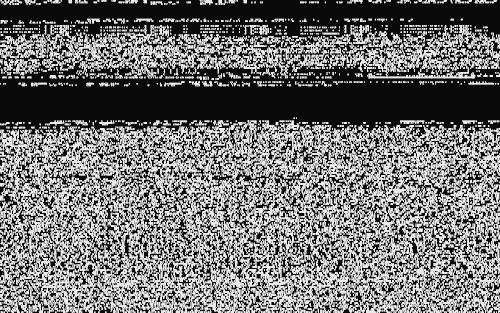
Here, your little graphical dump of bytes. 80 bytes per row. 200 rows of bytes. 16K bytes per screen. Mhm, bytes! And it itself takes just only some 100 bytes, so you won't end up looking at just the Memory Overviewer in Memory Overviewer!
GET Memory Overviewer™ Nyau! on a floppy disk image. Runs on all IBM PC compatible systems including IBM PC. (DOS needed)
Man
Here's how you roam the RAM: press…
- ↑
- …to go up 1 row
- ↓
- …to go down 1 row
- Page Up
- …to go up 1 screen
- Page Down
- …to go down 1 screen
- Q
- …to return to DOS
- SPACEBAR
- …to refresh the screen.
That's it! In the event you forget, go look into the "VIEW.T" file included.
Peculiar places
At start you're set to the start of memory. There's quite a lot to witness! At top is an interrupt vector table; below go BIOS's and DOS's state data. Press the keys! Maybe you'll find the keyboard buffer here! There must be a datetime counter somewhere close, too…
I assume the remaining noise of bytes is DOS machine code and maybe ASCII strings, down below.
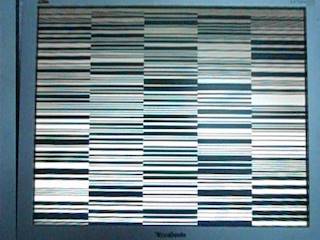
Somewhere further down you can find the video buffer. When you find your screen go in brilliant columns 16 bytes long, know you found it! I'm not sure why it happens, but it happens.
After the framebuffer you'll see Option ROMs (if any), then BASIC ROM (if any), and finally the BIOS ROM. Here you might notice some graphical data: glyphs for first 128 characters for typing in graphical modes.
After that memory wraps around back to the start. Or, if High Memory Area is enabled, then you might witness a portion of it before it suddenly turns into the start of the memory space.
Please look into your computer's technical reference for more information.
Memory Overviewer 1:30 20.11.2025